


Life Application Study Bible
4.7727.00 Reviews
App Specs
- Version
- Varies with Device
- Updated On
- License
- $19.99
- Downloads
- 10,000+
- Developer
- Tecarta, Inc.
- Categories
- Books & Reference
- Platform
- Android
Screenshots
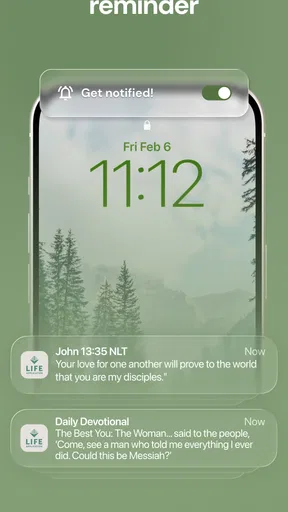
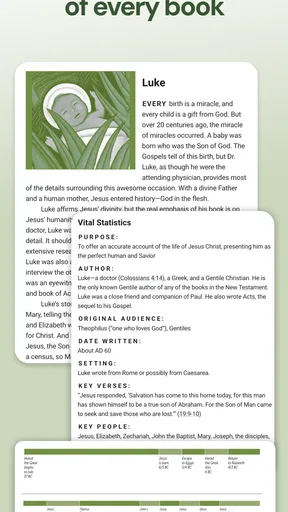
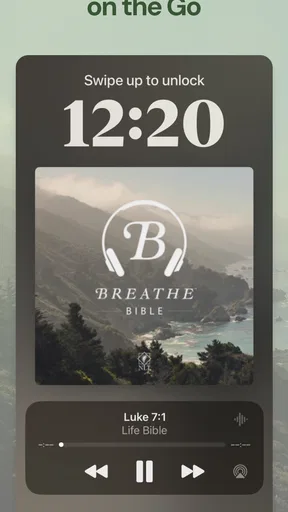

 Analysis by AppCompare
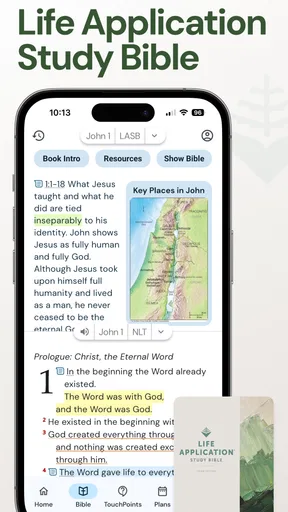
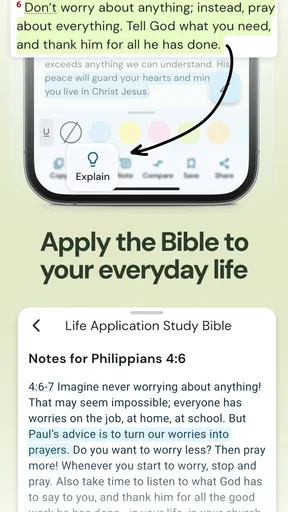
I approached Life Application Study Bible as a reading and reference tool rather than as a simple digital copy of a printed Bible. That distinction matters. Its main appeal is the amount of explanation placed around the biblical text: the app is built for readers who want help connecting passages with everyday questions, historical context, and practical reflection. In my experience, that makes it more useful for study sessions than for a quick verse lookup.
The app sits in the Books & Reference category and comes from Tecarta, Inc. It is aimed at a general audience, with an Everyone age rating, but its usefulness depends heavily on what you expect from a Bible app. If you want a lightweight reader that opens instantly, shows a passage, and gets out of the way, this may feel more elaborate than necessary. If you regularly pause to ask what a passage means or how its ideas relate to real life, the added notes are the reason to consider it.
It is sold as a paid app for $19.99, with optional in-app purchases ranging from $0.99 to $299.99 per item. I would think carefully about that pricing model before installing it, especially if you already use another Bible app. The core purchase needs to feel worthwhile on its own; otherwise, a free reader with occasional reference material may be a better fit.
Getting past the first points of friction
I find the first few minutes go more smoothly when I treat this as a study tool, not just a Bible reader: I start with a familiar passage and learn how to return from its notes to the text. That small orientation also helps me tell whether the app’s fuller workflow suits my habits. Once the navigation feels comfortable, the more important question is how to use the explanations without letting them take over the reading.
Why the first session can feel less obvious than expected
The most common difficulty with a study Bible app is not reading the text. It is understanding how the reading view, notes, references, and navigation are meant to work together. A printed study Bible makes those relationships visible on the page. On a phone, they are usually separated into taps, panels, or scrolling areas. That can make the first few minutes feel slower than opening an ordinary Bible reader.
I recommend beginning with a passage you already know instead of trying to learn the app while searching for an unfamiliar book. A familiar chapter gives you a quick way to check whether the text, explanatory notes, and navigation behave as you expect. It also helps you notice whether you prefer reading continuously or stopping frequently to consult the Life Application material.
The app’s large collection of explanatory content is its defining strength, but it can also create a reading rhythm that is different from a normal devotional app. You may start with a short passage and end up following several notes before returning to the text. That is valuable when you are studying a theme, but inconvenient when you only want a quiet, uninterrupted reading session.
Worth Reading Before You Choose

EA SPORTS FC Mobile 26 Is a Bigger Football Game, but It Takes Time

Flipboard Shows What News Apps Must Do Beyond the Feed

Switching to Android Auto Means Rethinking Your Driving Routine

Google Calendar Makes a Crowded Week Easier to Manage

Ludo King Makes the Most of the Minutes Between Plans

Baby Panda World Brings Quick Play to Modern Phones, but Its Game Library Feels Busy
What to check before judging the experience
Before deciding that something is missing, I would check the current reading screen carefully. Study tools often place supporting material below the passage or behind a small control rather than displaying everything at once. On a compact phone, a note can be easy to overlook simply because the screen is crowded. Rotating the device, adjusting text size, or scrolling farther than expected can clarify whether the issue is navigation or content.
I would also test several different passages. A note-rich section may feel very different from a chapter with less surrounding commentary. One successful test is not enough to understand the app, and one confusing passage is not enough to conclude that the whole experience is broken. The point of this app is the relationship between the biblical text and its application notes, so the quality of your trial depends on exploring both rather than reading only the main text.
Another useful check is to distinguish between the app itself and the device’s general behavior. If text looks unusually small, buttons are difficult to press, or scrolling jumps, compare the experience with another reading app. If the same problem appears elsewhere, the cause may be system text settings, display scaling, or a temporary device slowdown rather than this particular Bible application.
A sensible setup routine
I would set aside a few minutes for a calm first setup instead of trying to prepare it during a study group or commute. Confirm that the app has finished its initial loading, open a familiar passage, and spend time learning how to move between the text and its explanatory material. This small investment pays off because the app is more rewarding once navigation becomes automatic.
It is also worth deciding what kind of reader you are. If you mainly read from beginning to end, keep the interface as simple as possible and avoid opening every note immediately. If you study by topic, use the notes as your starting point and follow connections only when they serve your question. The same content can feel focused or distracting depending on whether you approach it with a reading plan or with open-ended browsing.
Because the app is a paid product with optional purchases, I would also review any purchase prompts slowly. Do not assume that every additional item is required for ordinary use. Decide first whether the included experience meets your needs, then consider extras only if they solve a specific problem. This is particularly important for families or study groups, where several people may be evaluating the app for different reasons.
How to recover when a reading session goes wrong
When a passage does not open correctly or the screen seems stuck, my first response would be simple: leave the passage, reopen it, and try a second chapter. If that works, the problem may have been temporary loading or a single interrupted session. If several chapters behave the same way, close and relaunch the app, then check whether the device has enough free space and whether other apps are also struggling.
I would avoid repeatedly tapping the same control when the interface appears unresponsive. That can turn a delayed response into several accidental actions once the screen catches up. A slower but safer approach is to wait, return to the main reading view, and try one action at a time. This is especially sensible when you are moving between text and notes, where a delayed panel can make it appear that your first tap did nothing.
If the app loses your place, make a habit of noting the book and chapter before leaving a longer study session. That is not glamorous advice, but it is practical. A short note in your phone or a bookmark in your personal study routine can save time when you return later. I would not rely on memory alone after following several references, because the whole point of this kind of app is that one passage can lead to another.
For a persistent problem, the useful information to record is specific: the passage you opened, the action that caused the trouble, whether the issue repeats, and whether it affects only notes or the main text as well. That description is much more helpful than saying that the app is “broken.” It also helps you decide whether reinstalling would be sensible or whether the problem is limited to one workflow.
When the app is not the real cause
A Bible app can be blamed for problems that actually come from the reading environment. A weak connection, aggressive battery management, low storage, outdated device software, or a crowded screen can all make a reference app feel unreliable. I would test it under ordinary conditions before forming a final opinion, rather than judging it during a rushed session with several other apps open.
The same applies to expectations about search and study. If you want a minimalist interface with instant access to a single verse, a full study Bible may seem slow even when it is working correctly. The app is designed around explanation, not just retrieval. Choosing it means accepting a little more visual and mental activity in exchange for material that helps interpret and apply what you are reading.
There is also a personal factor. Some readers prefer to form their own impressions before seeing commentary. For them, opening explanatory notes too early can shape the reading experience and reduce the feeling of discovery. I would recommend reading the passage once without assistance, then returning to the notes with a specific question. That workflow preserves independent reflection while still using the app’s strongest resource.
Everyday situations where it earns its place
Imagine that I have fifteen quiet minutes before work and want to read a short passage, but I also want help understanding how it applies beyond the original setting. With an ordinary Bible reader, I might need to leave the app and search elsewhere. Here, I can stay with the passage and consult the surrounding Life Application notes when a question arises. That keeps the session focused and reduces the temptation to wander through unrelated websites.
It is also useful for someone preparing a small discussion. I would read the selected passage first, mark the questions that naturally come to mind, and then use the explanatory material to organize the conversation. The notes are most helpful when they support discussion rather than replace it. A group should still read the text carefully instead of treating the app’s interpretation as the only possible conclusion.
For a new Bible reader, the app can make difficult passages less intimidating. The explanations offer a bridge between unfamiliar language and practical concerns. However, I would introduce it gradually. A beginner who opens every note, follows every reference, and tries to absorb a whole book at once may feel overwhelmed. Starting with one passage and one question produces a more manageable experience.
On the other hand, a reader who already owns a preferred study Bible may not gain enough from this purchase. If your current app already provides the translation, notes, navigation, and reading habits you like, switching will involve a learning cost. The strongest reason to choose this one is not merely that it contains biblical text; it is that you specifically want the Life Application approach integrated into your reading routine.
Three habits that make the content more useful
My first practical tip is to separate observation from application. Read the passage and describe what it says before opening the notes. Then compare your understanding with the commentary. This prevents the application material from becoming a substitute for reading and makes disagreements or questions easier to notice.
My second tip is to use a question-led workflow. Instead of browsing every available note, begin with something concrete: “What is the main contrast here?” or “What would this look like in ordinary life?” Consult the relevant explanation, then return to the text. This turns a large reference collection into a focused tool and keeps a short session from becoming an unplanned research project.
My third tip is to create a stopping point. When a note sends you toward another passage, decide whether that connection serves today’s purpose. If it does, follow it and record where you came from. If it does not, leave it for another session. This simple boundary is important because study apps encourage productive curiosity, but curiosity can also make a twenty-minute reading session disappear without a clear conclusion.
How it compares with ordinary alternatives
Compared with a basic Bible reader, this app offers a more guided experience. A basic reader is usually better for speed, simplicity, and uninterrupted reading. Life Application Study Bible is better when you want interpretation and practical reflection close to the passage. Neither approach is automatically superior; the right choice depends on whether your main task is reading, locating, or studying.
Compared with a printed study Bible, the app is easier to carry and more convenient when you want to move quickly between passages. A physical book can feel calmer, easier on the eyes, and more satisfying for extended reading, especially if you already annotate paper pages. I would choose the app for portability and flexible reference, while keeping a printed volume for slower sessions where the phone itself would be a distraction.
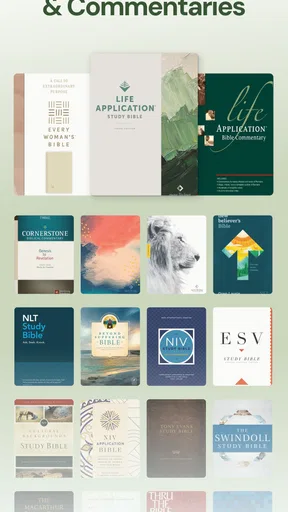
Compared with a broad Bible study platform, this app may appeal to readers who want a more defined identity instead of a large collection of unrelated tools. A platform with many translations and research resources can be better for serious comparative study. This app is more focused on making the text understandable and applicable in daily life. That focus is a strength for devotional readers, but a limitation for users who need an extensive academic library.
Value, audience, and the final decision
The app has an average rating of 4.7 from around 2.4 thousand ratings, and its listing shows over 10 thousand installs. Those figures suggest that it has found a clear audience, but they should not decide the purchase for you. The more important question is whether you will actually use the explanatory notes. Paying for a study Bible and then reading only the plain text would leave much of its purpose unused.
I would recommend it to readers who want a practical Christian study companion, people beginning to explore the Bible, and anyone who regularly asks how a passage connects with ordinary decisions and relationships. It can also suit a reader who wants one place for reading and reflection instead of switching between a Bible app and separate commentary searches.
I would skip it if your priority is a distraction-free reader, if you strongly prefer paper, or if you need a research-oriented tool with a wide range of scholarly resources. I would also hesitate if optional purchases make you uncomfortable or if you already have a study Bible that fits your habits perfectly. In those cases, the familiar alternative may provide better value even if this app is well made.
My overall impression is that this is not an app I would install merely to have another Bible on my phone. I would choose it for its explanatory layer and for the way it encourages a passage to become a practical study rather than a quick lookup. The best results come from using it deliberately: read first, ask a question, consult the notes, and stop when the question has been answered.
My practical verdict: Life Application Study Bible is a worthwhile choice when you want guided understanding more than bare-bones reading. It has genuine value for reflective study, but its price and richer workflow make it less suitable for casual readers. Try it with a familiar passage, learn the movement between text and notes, and judge it by whether those explanations improve your regular reading rather than by how many tools appear on the screen.
Pros
- Detailed study notes make difficult Bible passages easier to understand.
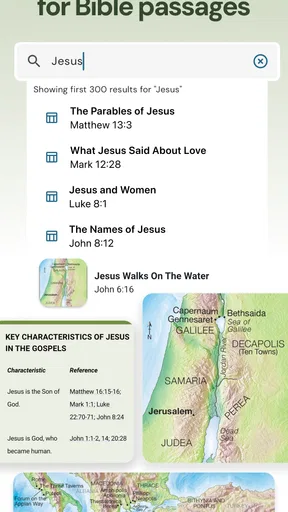
- Includes helpful maps
- charts
- timelines
- and character profiles.
- Search tools quickly find verses
- topics
- and specific biblical terms.
- Reading plans support consistent study and daily devotional habits.
- Bookmarks
- highlights
- and notes help personalize your Bible study.
Cons
- The large amount of commentary may feel overwhelming for new readers.
- Some features or content may require an in-app purchase or subscription.
- Requires downloads or streaming for access to some audio and media content.
- Search results can be less useful when looking for broad theological themes.
- The app may use considerable storage space
- especially with extra resources.
FAQs for Life Application Study Bible
What is the Life Application Study Bible app?
The Life Application Study Bible app is a digital Bible resource designed to combine Scripture reading with practical study tools. Depending on the edition and platform, it may include study notes, introductions, cross-references, reading plans, highlights, bookmarks, and search features. Its main purpose is to help readers understand biblical passages and consider how the teachings may apply to everyday life.
Is the Life Application Study Bible app free to download and use?
The app may be free to download, but access to the complete Life Application Study Bible content can depend on the edition, publisher, platform, or optional in-app purchases. Some basic Bible reading features may be available without payment, while premium study notes, translations, audio content, or additional resources may require a purchase or subscription. Check the store listing for current pricing before downloading.
Does the app work without an internet connection?
Offline availability can vary according to the specific version of the Life Application Study Bible app and the content you have downloaded. Some applications allow selected Bible translations or study materials to be saved for offline reading, while other features may require an internet connection. It is best to download the desired resources while connected to Wi-Fi and test offline access before traveling.
What study features are included in the Life Application Study Bible app?
The app generally focuses on making Bible study more accessible through tools such as keyword search, bookmarks, highlights, notes, reading history, and organized navigation by book and chapter. The Life Application Study Bible content is especially known for explanatory notes and practical reflections. However, the exact features can differ between Android and iOS versions, so review the current description for your device.
Is the Life Application Study Bible app suitable for beginners?
Yes, the app can be a helpful choice for beginners because it combines the biblical text with explanations written in an accessible, practical style. Introductions and study notes can provide context when a passage is unfamiliar, while search and reading tools make navigation easier. Beginners should still remember that study notes represent a particular interpretive perspective and may be worth comparing with other trusted resources.


